Contents
Can't connect? Troubleshooting and contacting us
Work through Pangolin connection failures, connected-but-nothing-loads, slow speeds and more by error message and symptom — plus how to send feedback and reach support.
If something isn’t working, first look for red text under the connect button, then find it in the tables below. Most problems take a minute or two to fix.
By error message
| Message | Why | What to do |
|---|---|---|
| You’ve used today’s free time. Upgrade to keep connecting. | Your free 10 minutes or 500 MB for today are used up | It resets automatically at 00:00 UTC (08:00 Beijing time), or upgrade to Pro — see Free plan limits |
| Device limit reached | Your account has more devices than your plan allows | Remove a device you don’t use — see Device limit |
| Current node is unreachable — reconnect or switch node | The server is temporarily unavailable | Tap Connect to try again, pick another server on the Servers screen, or choose Smart select and let the app pick |
| Current node unreachable — switched automatically | With Smart select on, the server had a problem and the app moved you to another one | Nothing — you’re still connected |
| Connection failed, please retry | Your network is unstable or the server can’t be reached right now | Check that your phone or computer can get online without Pangolin, then try again; if it keeps failing, switch servers |
| This device was signed out | The device was signed out or removed from another device | Just sign in again |
How to switch servers: the Servers screen lists every server with its live ping — lower is usually faster. See Connecting and switching servers.
By symptom
It fails the very first time I connect
Connecting the first time needs a system permission. If you tapped “Don’t Allow” or dismissed the prompt, it will keep failing:
- iPhone / iPad: allow the VPN configuration — see Install on iPhone / iPad;
- Mac: allow the system extension in System Settings — see Install on Mac;
- Windows: click Yes on the User Account Control prompt when Pangolin opens, or it won’t start — see Install on Windows;
- Android: accept the connection request — see Install on Android.
It says Connected, but nothing loads
- Disconnect and connect again;
- Try a different server;
- Open Settings → Routing rules, make sure the mode is Smart, and check My rules for a stray Reject rule;
- Still stuck? Switch to Global for a moment. If that fixes it, one of your rules is the culprit — see Routing rules in depth, or use Reset defaults to start over.
Sites or apps in mainland China are slow or acting up
- Make sure the mode is Smart and the built-in China direct rule is on;
- If it’s just one site, add a Domain suffix → Direct rule for it.
It’s slow or keeps dropping
- Evenings (roughly 8–11 pm Beijing time) are peak time and speeds can dip — switching to a lower-ping server usually helps;
- If your phone disconnects after a while in the background, turn on Always-on (Pro); on Android also allow background activity — see Install on Android;
- Make sure you’re on the latest version — see App updates.
I can’t sign in
- Double-check the spelling of your email. If you forgot your password, tap Forgot password? on the sign-in screen and reset it with an email code;
- No verification email? Check your spam folder, wait a minute or two, then tap Send code again;
- See Accounts, sign-in and security.
Service status
We regularly test connectivity to each server from home broadband on China’s three major carriers, and publish the results on the Service status page. The page is still collecting data. Once it’s live, it’s the first place to check if you suspect a wider network issue on your carrier.
Send feedback
You can report a problem or make a suggestion right in the app — with screenshots:
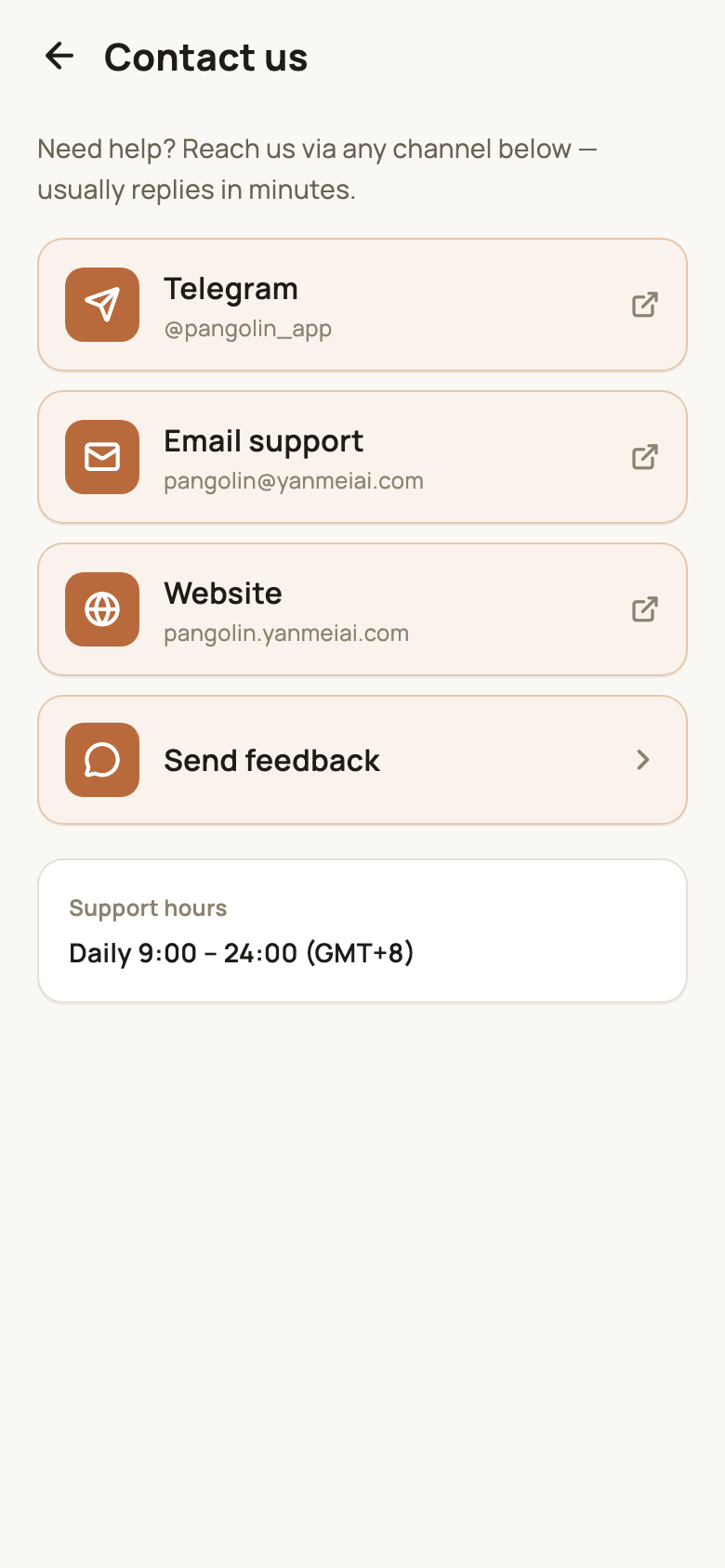
- Phone: Account → Contact us → Send feedback;
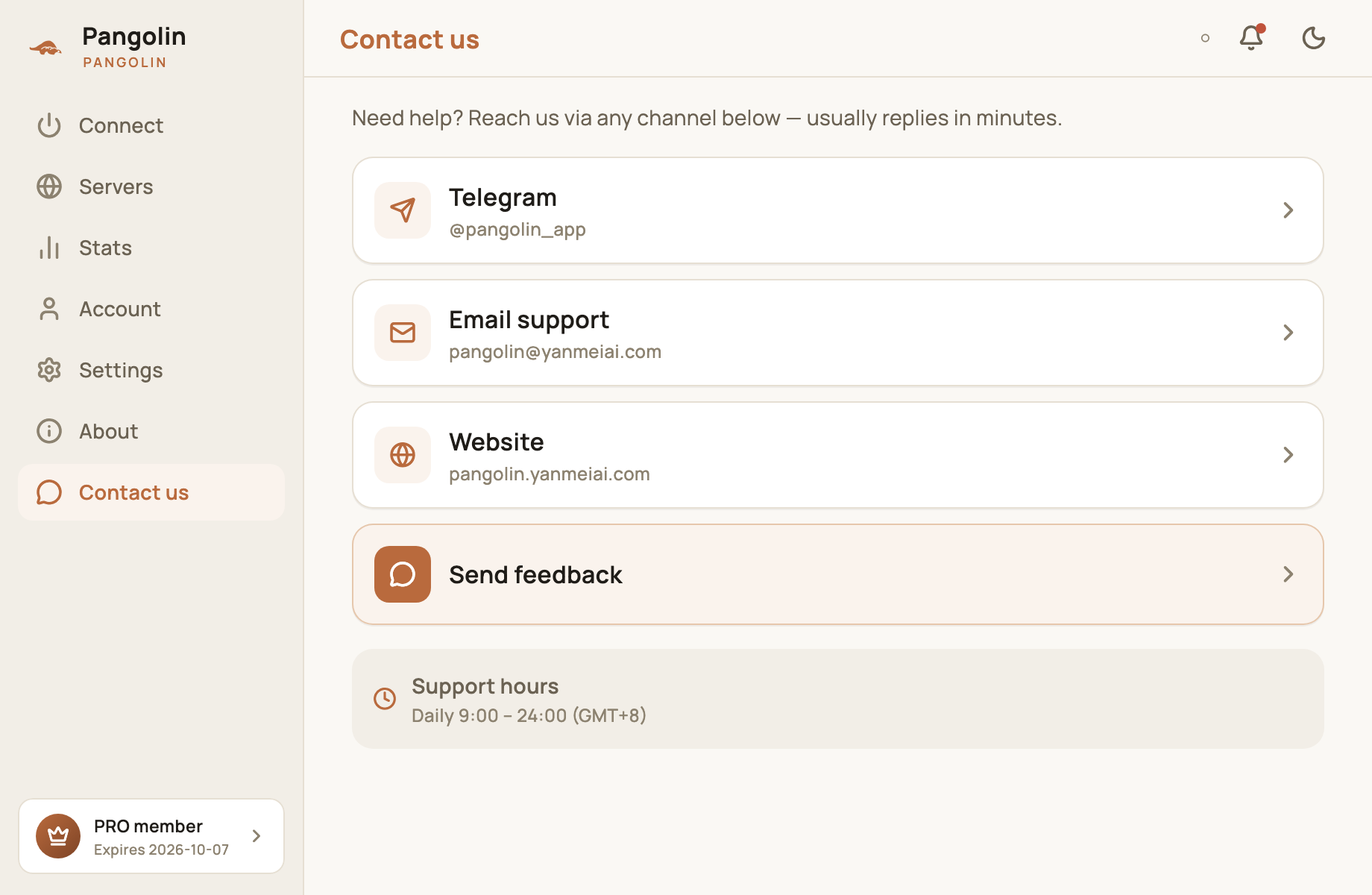
- Desktop: Contact us in the sidebar → Send feedback.
Give it a Title (a one-line summary) and the Details, tap + to add up to 3 images (JPG / PNG), then tap Submit.
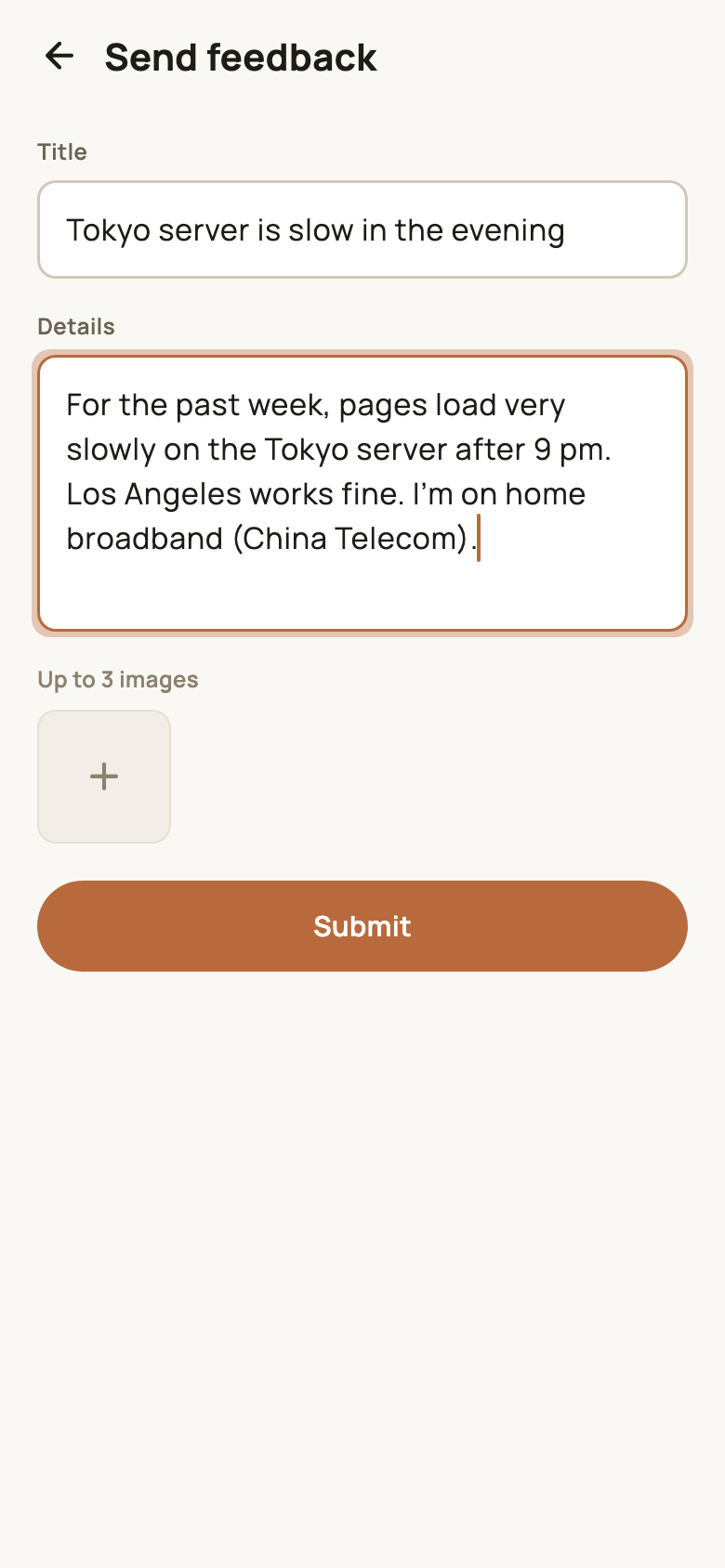
A clear report gets fixed faster. Try to include:
- Your device and OS version (e.g. iPhone 15 / iOS 18, Windows 11);
- The app version (on the About page);
- The server you were connected to;
- Your network: home broadband or mobile data, and which carrier;
- Roughly when it happened, plus any on-screen message or a screenshot.
Contact us
You can also reach support directly:
| Channel | Where |
|---|---|
| Telegram | @pangolin_app |
| Email support | [email protected] |
| Website | pangolin.yanmeiai.com |
Support hours: 9:00–24:00 daily (Beijing time, GMT+8). We usually reply within minutes.
FAQ
What should I include when I report a problem?
Your device model and OS version, the app version (on the About page), the server you were using, your network (home broadband or mobile data, and which carrier), roughly when it happened, and any on-screen message or a screenshot.
How quickly do you reply?
Support hours are 9:00–24:00 daily (Beijing time, GMT+8), and we usually reply within minutes.
Don't have Pangolin yet?
Available for iPhone / iPad, Mac, Windows and Android. New accounts get a free 7-day Pro trial.
Download the app