Contents
Points and invites: how to earn and spend them
What you get when friends sign up and pay, how points add up, how to use them at checkout or trade them for Pro, and where to see your points history.
Invite friends to Pangolin and you both get rewarded: Pro days are added straight to your membership, and points work like cash at checkout.
Rewards
| When | You (the inviter) get | Your friend gets |
|---|---|---|
| Your friend signs up with your invite code | 7 days of Pro | 7 days of Pro |
| Your friend pays for the first time | 30 days of Pro (once per friend) | — |
| Your friend enters your code at checkout | Points worth 10% of what they paid for that order | — |
| You join our Telegram channel | 7 days of Pro (once) | — |
Example: your friend buys the Yearly plan ($34.99) with your code at checkout, and you get 349 points (about $3.49). If it’s their first purchase, you also get 30 days of Pro.
A few things to know:
- Rebates are paid per order: your friend needs to enter your code in the Referral code field every time they buy for you to get that order’s rebate. Entering it once at sign-up doesn’t make future orders count automatically;
- Rebates are based on the cash your friend actually paid — any part they covered with points doesn’t count;
- Invite rewards have no limit. Accounts registered repeatedly on the same device get no sign-up reward and no 30-day first-purchase reward (point rebates still apply).
Invite friends
You’ll find your personal invite code and link under Account → Invite friends, earn membership:
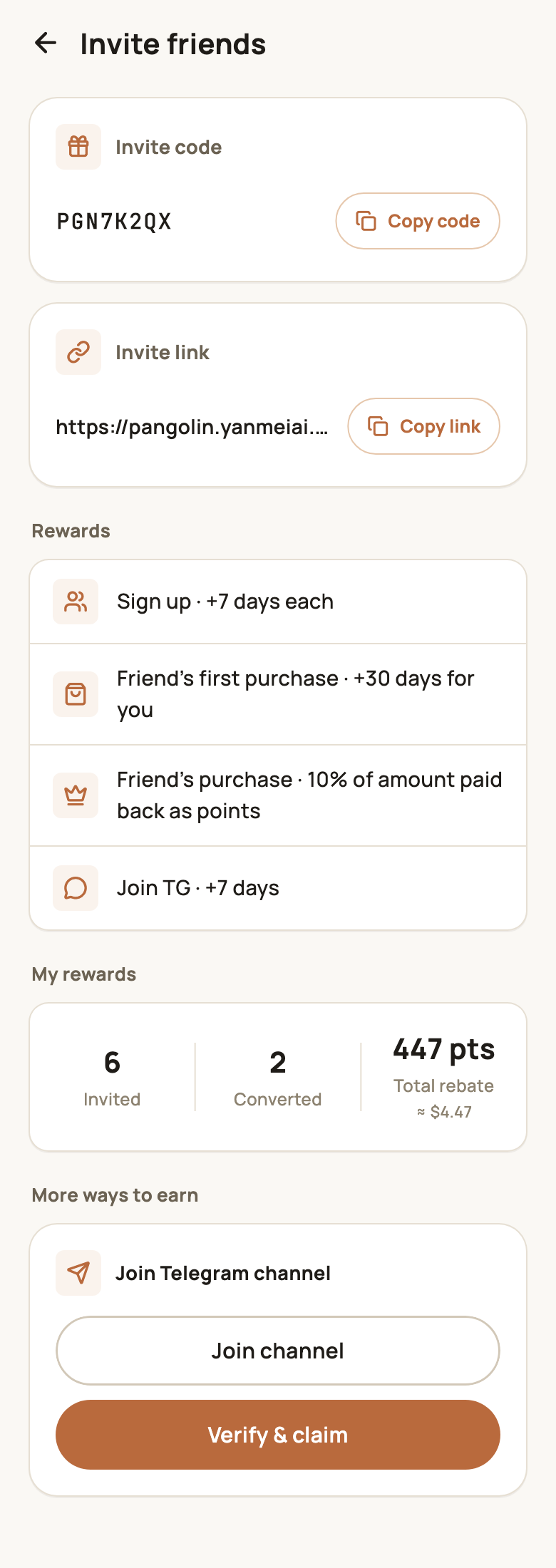
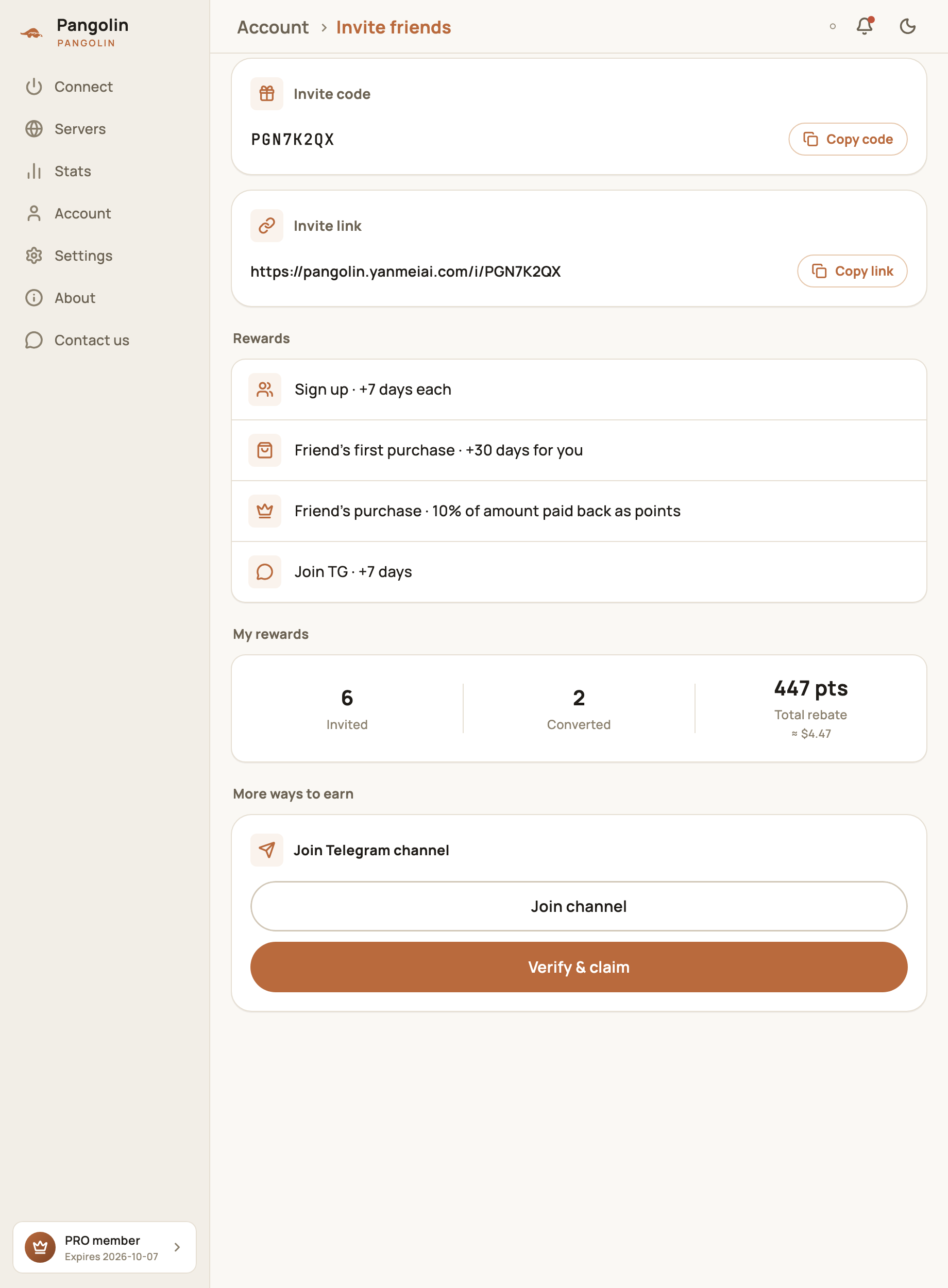
- Copy code: your friend enters it under Invite code (optional) in the “set a password” step of sign-up;
- Copy link: send the link to your friend so they can sign up on the web with your code. If they copy your code and then sign up in the app, it’s filled in automatically from the clipboard;
- My rewards: how many people you’ve invited, how many have converted (paid), and your total rebate points;
- More ways to earn: tap Join channel to open our Telegram channel. Once you’ve joined, come back and tap Verify & claim for 7 days of Pro.
Check your points
Your points balance shows on the Account screen — tap it to open Points:
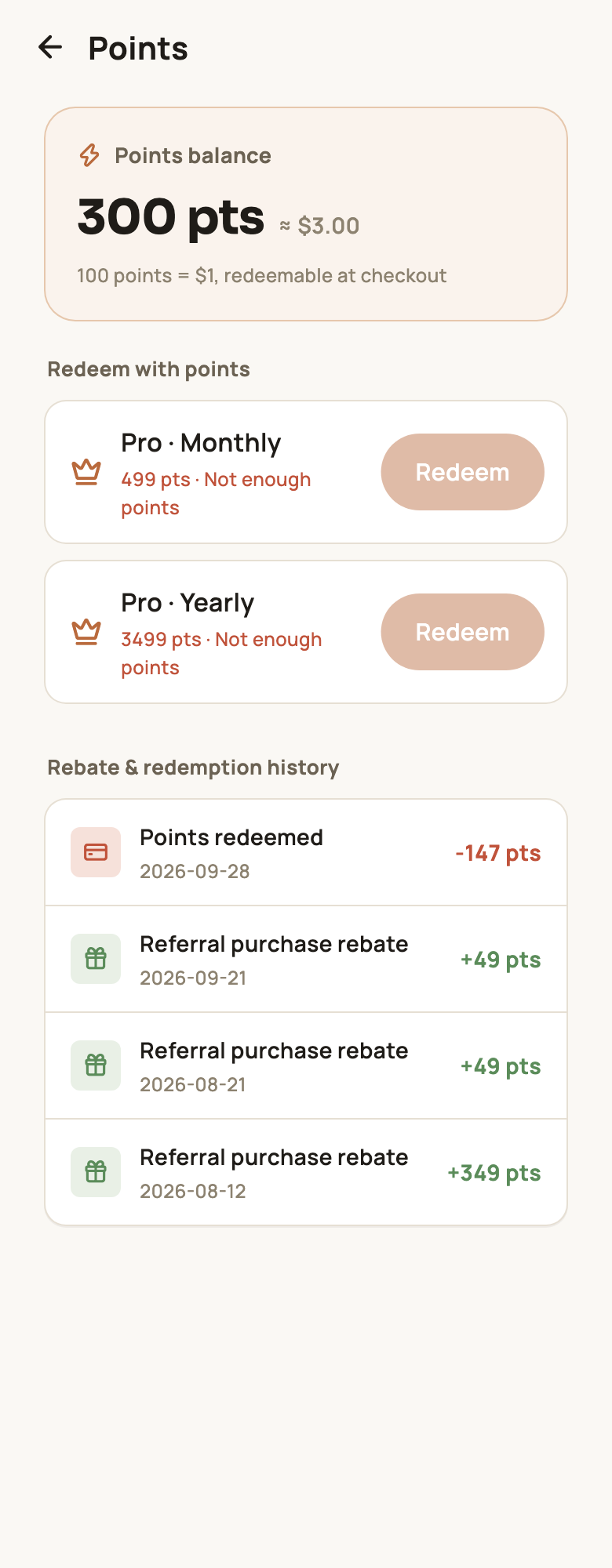
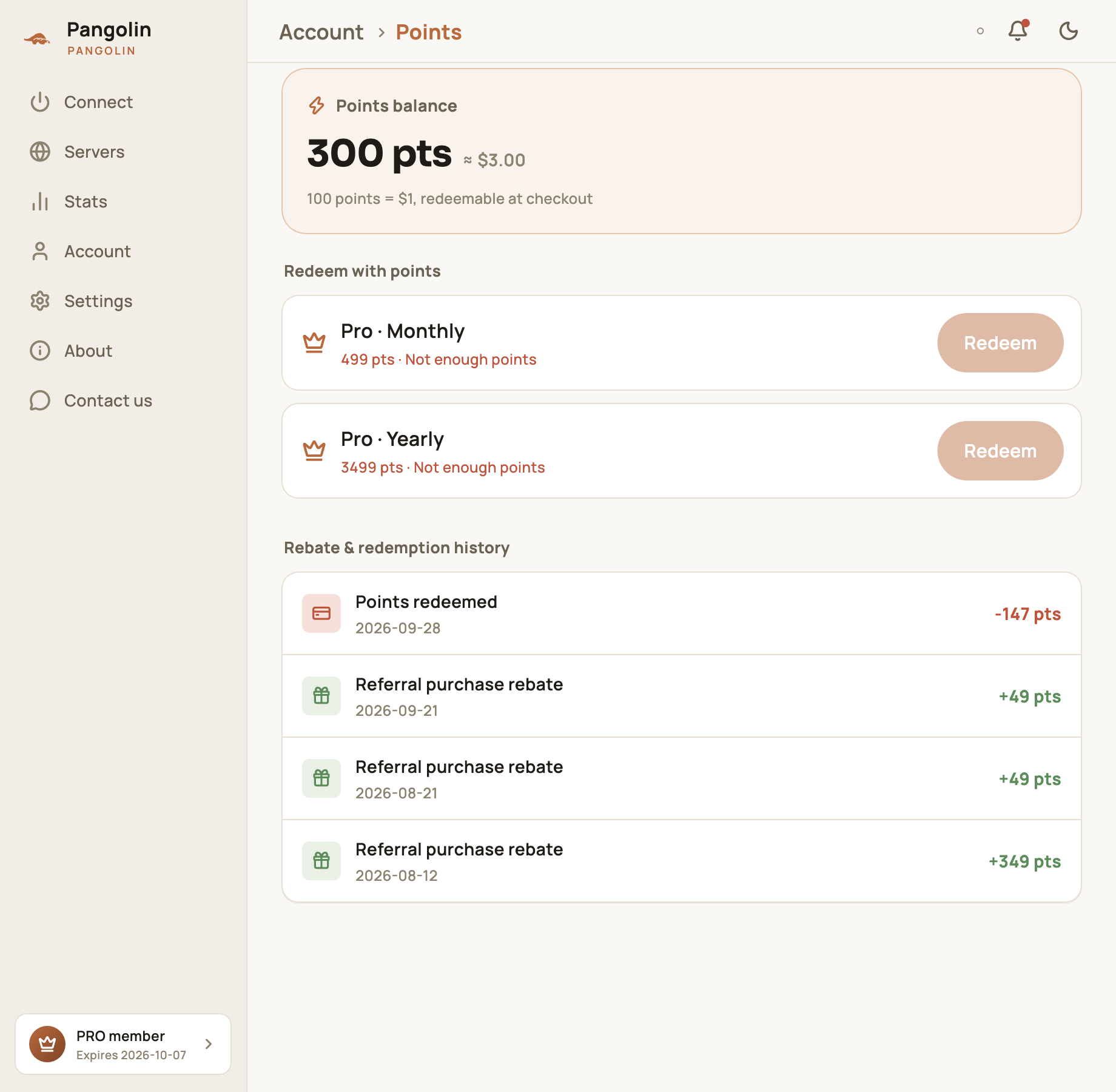
- Points balance: the points you can use now, with their dollar value next to them;
- Redeem with points: the plans you can trade points for and what each costs, with a note if you don’t have enough;
- Rebate & redemption history: every change to your balance:
| Entry | Meaning |
|---|---|
| Referral purchase rebate | Points from a friend’s purchase (+) |
| Points redeemed | Points you used at checkout (−) |
| Redemption refunded | Points returned when an order is canceled or not completed (+) |
Spend your points
100 points = $1, and there are two ways to use them:
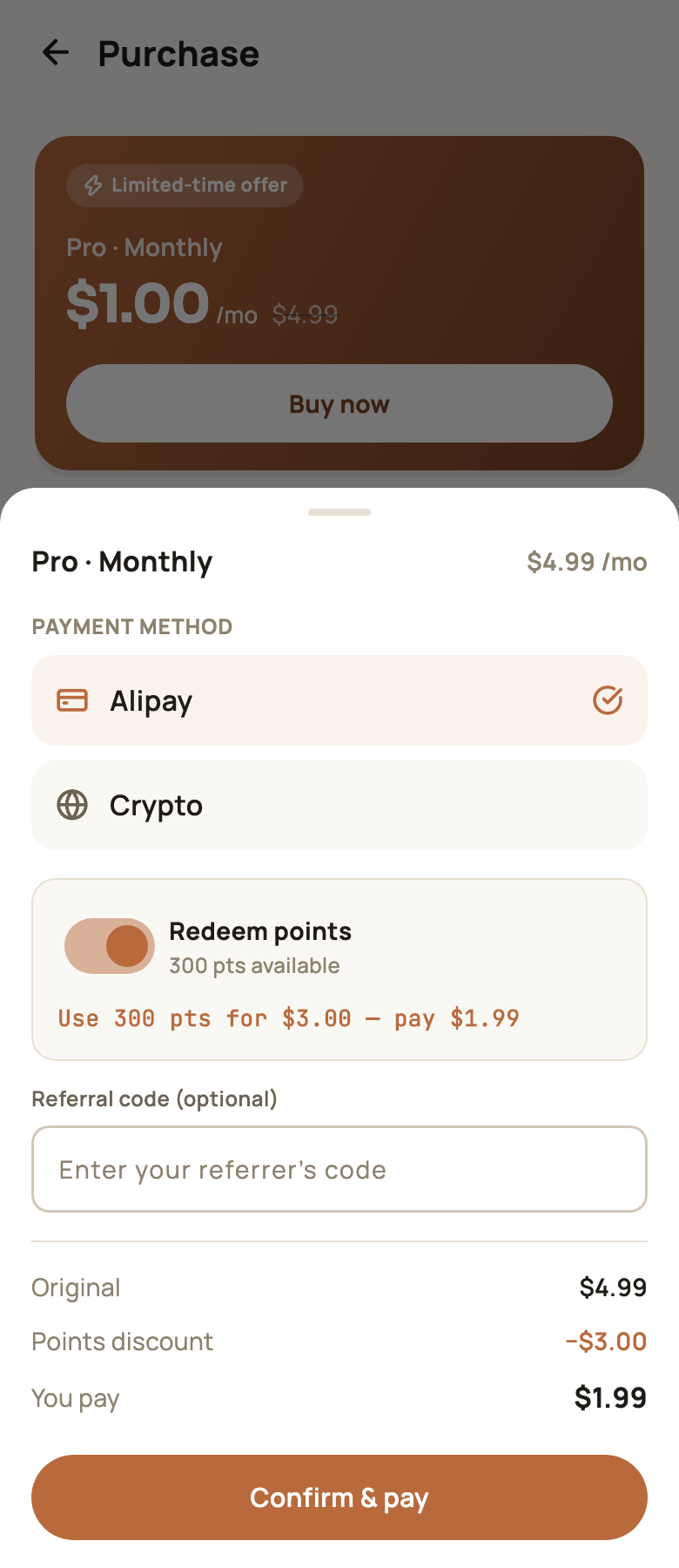
- At checkout: turn on Redeem points in the checkout panel. Points are applied first, and you pay the rest with Alipay. If your points cover the whole price, Pro is activated right away. See Buying Pro;
- Trade them for Pro: on the Points screen, tap Redeem next to a plan under Redeem with points:
| Plan | Points needed |
|---|---|
| Pro · Monthly | 499 points |
| Pro · Yearly | 3,499 points |
Time you get this way is added after your current expiry date, just like a purchase.
FAQ
What's the difference between points and Pro days?
Pro days are added straight to your membership. Points are a balance in your account — 100 points = $1 — that you can spend at checkout or trade for Pro.
My friend forgot to enter my invite code when signing up. What now?
They can enter your code in the Referral code field when they check out. There's no sign-up reward when it's added later, but you still get the 30 days for their first purchase, plus the point rebate on that order.
Is there a limit on invite rewards?
No. Sign-up rewards and point rebates have no limit. Accounts registered repeatedly on the same device don't earn sign-up rewards.
My friend bought Pro — why didn't I get points?
Rebates are paid per order, based on the referral code entered on that order. Remind your friend to enter your code in the Referral code field every time they buy.
Don't have Pangolin yet?
Available for iPhone / iPad, Mac, Windows and Android. New accounts get a free 7-day Pro trial.
Download the app